A quick roundup of the most important platform improvements, new capabilities, and fixes shipping soon. For further information, see our full monthly platform updates.
Personal Agent: Daily check-ins
Introducing daily check-ins: your agent delivers exactly what you asked it to track, every day. Set up scheduled tasks and let your Personal Agent do the work while you’re away. Get a consistent, proactive update on the topics, tasks, and information that matter to you, so you always know where things stand without needing to ask.
Personal Agent: Chief of Staff financial features
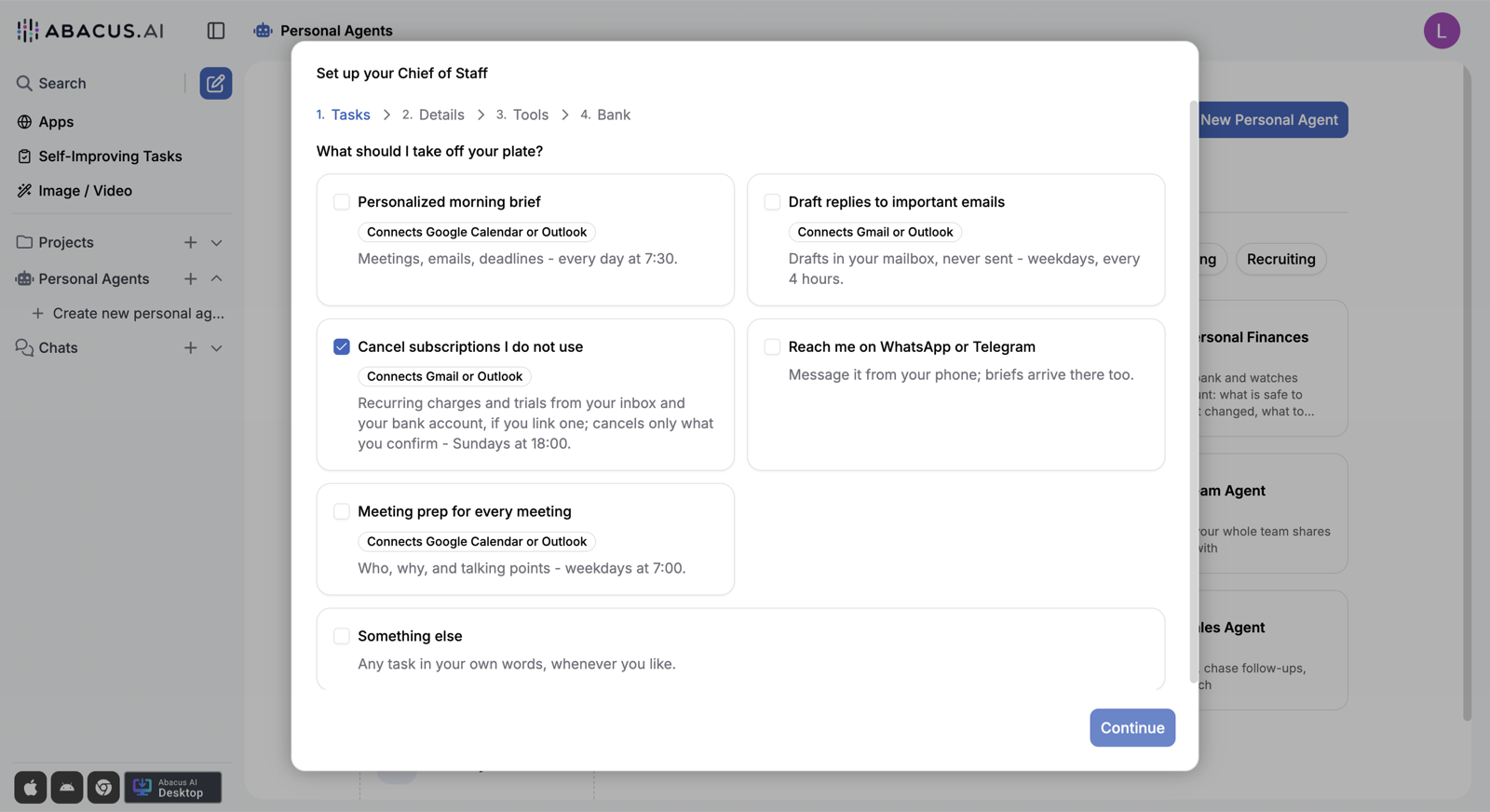
Turn your Chief of Staff Agent into your personal financial assistant. The new setup wizard helps you connect Gmail or Outlook to kick off a subscription audit, uncovering recurring charges from your email receipts and confirmations. For even more complete coverage, link your bank with read-only access so your agent can catch every recurring charge, whether or not an email trail exists.
Browser extension: Connector tools
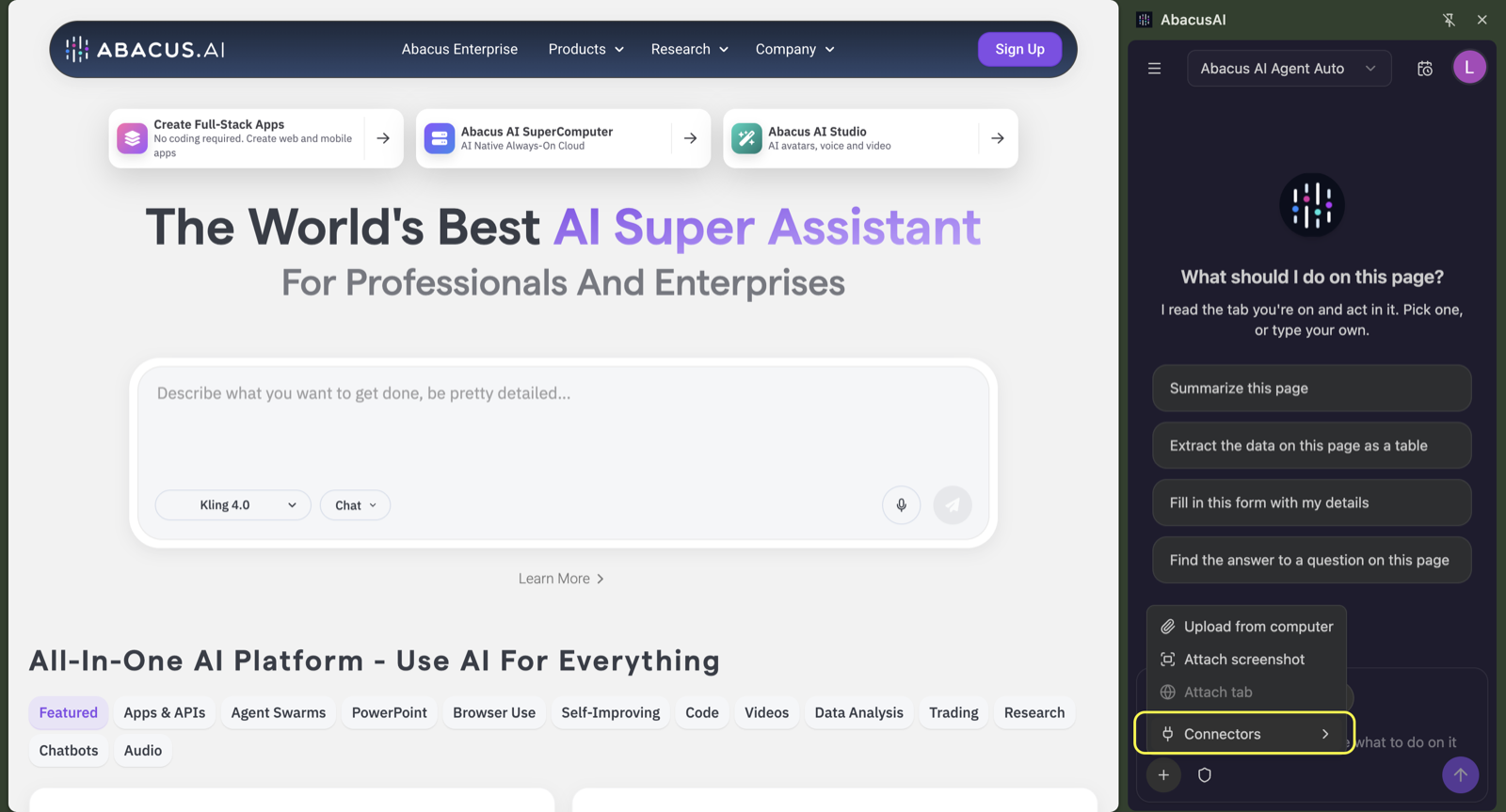
You will soon be able to connect your favorite tools directly from the Abacus.AI browser extension. Manage your existing connectors in one place and let us securely access and act on the data you authorize, bringing more context and capabilities to your AI assistant.
Listener projects integration
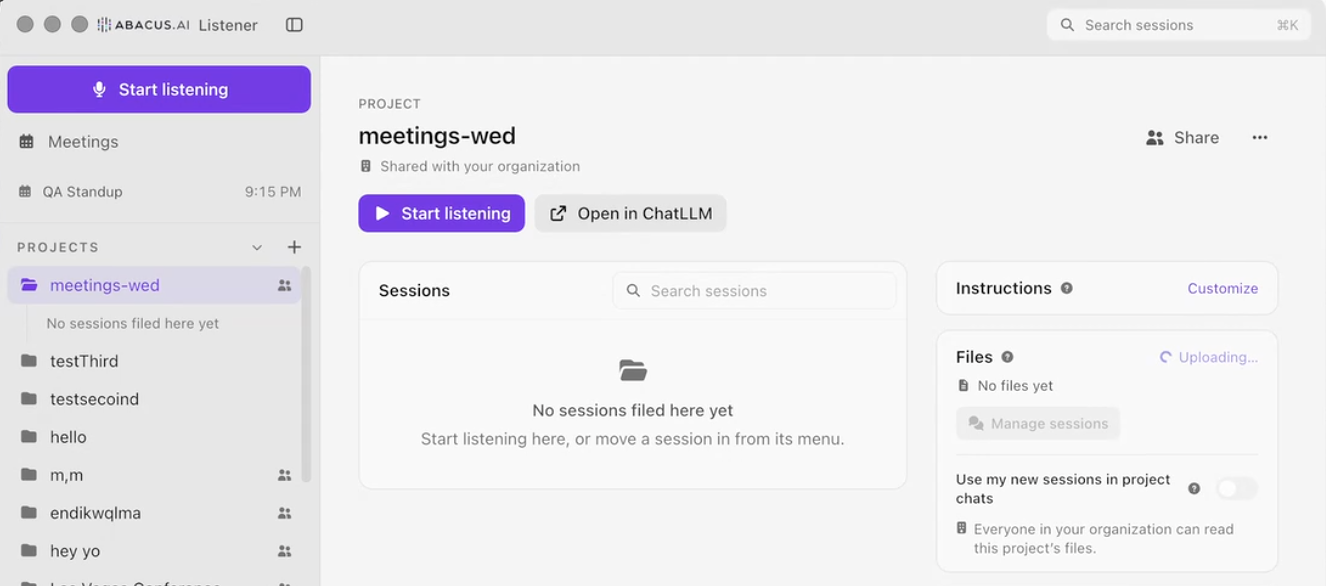
The Abacus.AI Listener will soon integrate with Projects, allowing you to bring additional files, documents, and context into your meetings. Your listener doesn’t just capture the conversation: it listens alongside you in every meeting, uses your project knowledge to answer questions in real time as the conversation unfolds, and automatically writes everything up when you’re done.
Organization Brain
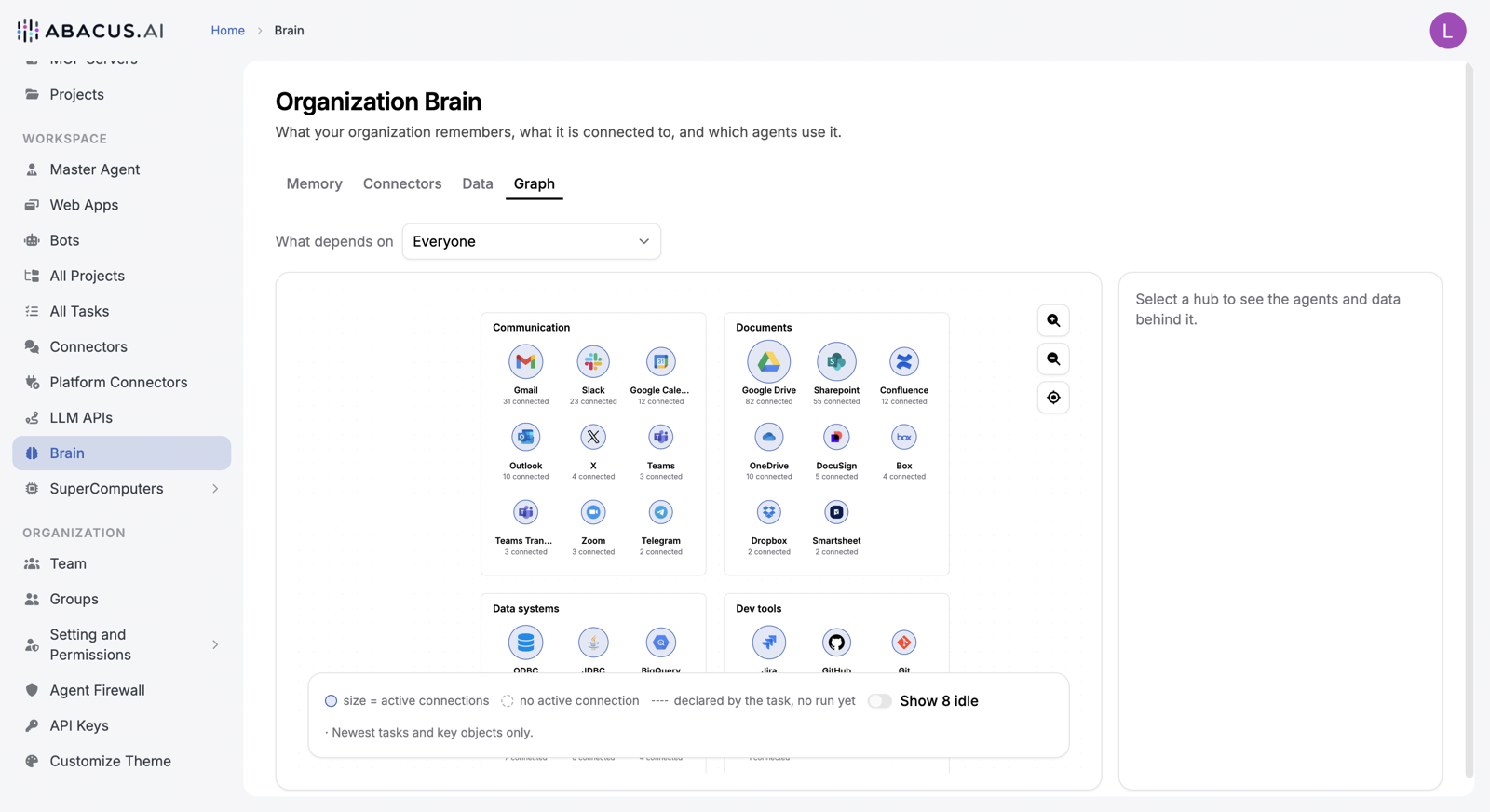
Introducing the Organization Brain, which will soon bring shared instructions, ontology, and organizational memory to both Agent & Chat, giving Abacus.AI a consistent understanding of your organization’s knowledge and context. Admins will be able to manage their organization’s ontology through a new Graph and Table editor, while passive learning identifies useful organizational facts and rules for admin review before being activated. Improved memory retrieval makes relevant knowledge available when needed, with usage tracking and centralized controls to manage what your AI learns, remembers, and recalls. Your organization’s AI gets smarter over time, while admins stay firmly in control.
Protected user groups
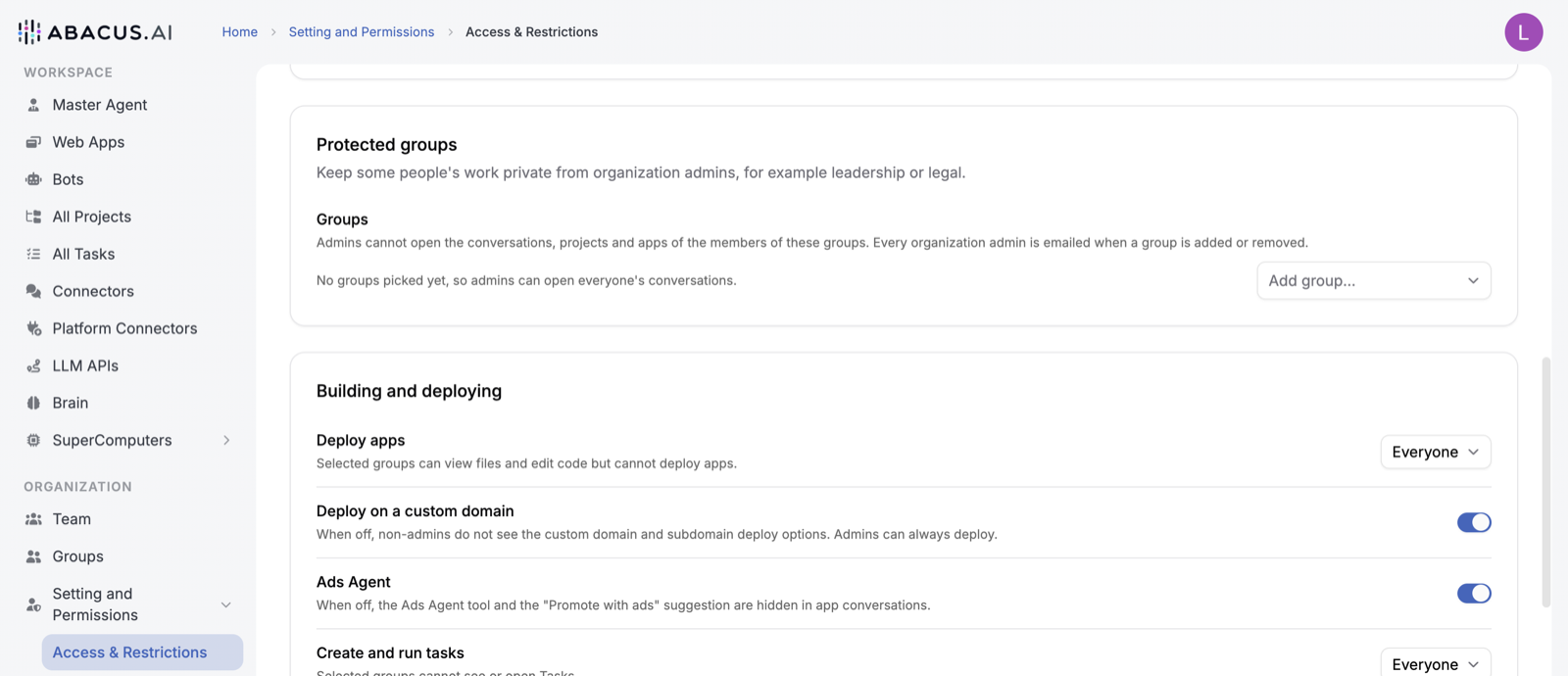
Organizations will soon be able to designate specific groups as Protected Groups to keep sensitive work private from organization admins. This feature is ideal for leadership teams, legal departments, and other groups handling confidential information, as it prevents organization admins from opening the conversations, projects, and apps belonging to members of protected groups. Once you have created a group of users, you can then enable this through Setting and Permissions > Access & Restrictions > Protected Groups.
For added transparency, all organization admins receive an email notification whenever a Protected Group is added or removed. Organizations gain greater control over internal privacy while maintaining clear visibility into changes to protection settings.
Centralized app secrets
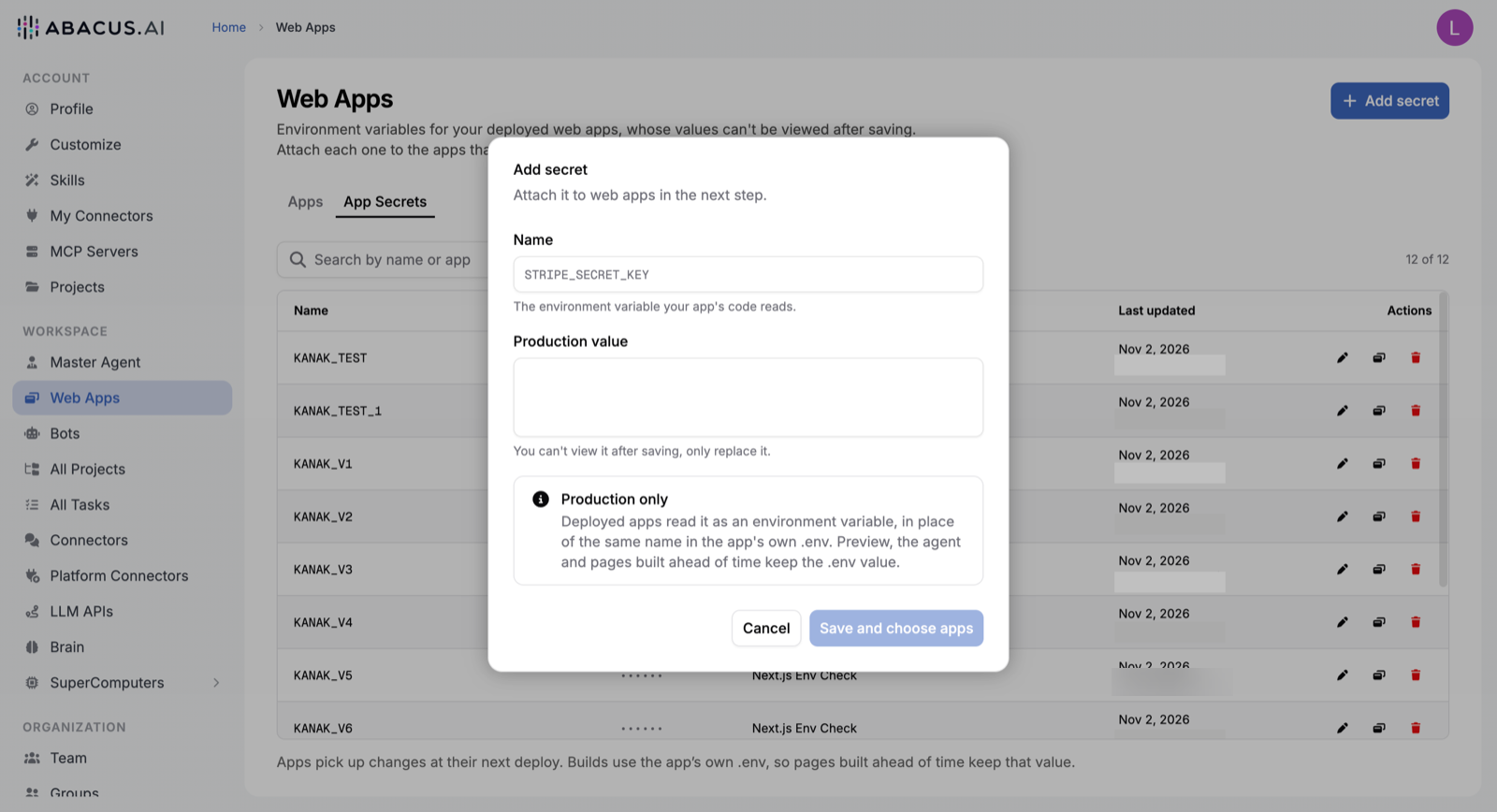
Admins will be able to create and manage App Secrets centrally through Profile > Web Apps > App Secrets, assign them to specific web applications, and update values without exposing sensitive credentials. Secrets are securely stored as write-only values, automatically applied to associated applications on their next deployment, and take precedence over matching .env variables in production. You can attach a secret to multiple applications, manage associations independently, and remove or rotate secrets without affecting unrelated applications. We’ve also improved secret validation, masking across logs and API responses, and access controls to help keep credentials protected.
Product Feedback
We’d love to hear from you! Your feedback helps us improve our products and shape what comes next, so please take a moment to share your thoughts.