A quick roundup of the most important platform improvements, new capabilities, and fixes shipping soon. For further information, see our full monthly platform updates.
Master Agent
Take control of your organization through a single conversational interface. Master Agent lets admins ask questions about their organization, manage users and permissions, configure settings, control app access, and monitor usage and spend. Every change is presented for your approval, keeping you in control, while scheduled reports help you stay on top of organizational activity.
Key capabilities include:
- Make changes in plain language: Simply describe what you want, e.g., “Turn off the finance skill for the whole org.”
- You stay in control: No changes take effect without your explicit approval through an Apply action, and changes can be undone.
- Secure and auditable: Changes are made through the existing APIs under your admin identity, preserving permission checks and audit logs.
- Direct navigation: Responses link directly to the relevant admin settings sub-page, making it easy to review and manage configurations.
Access Web Apps through Network Ingress
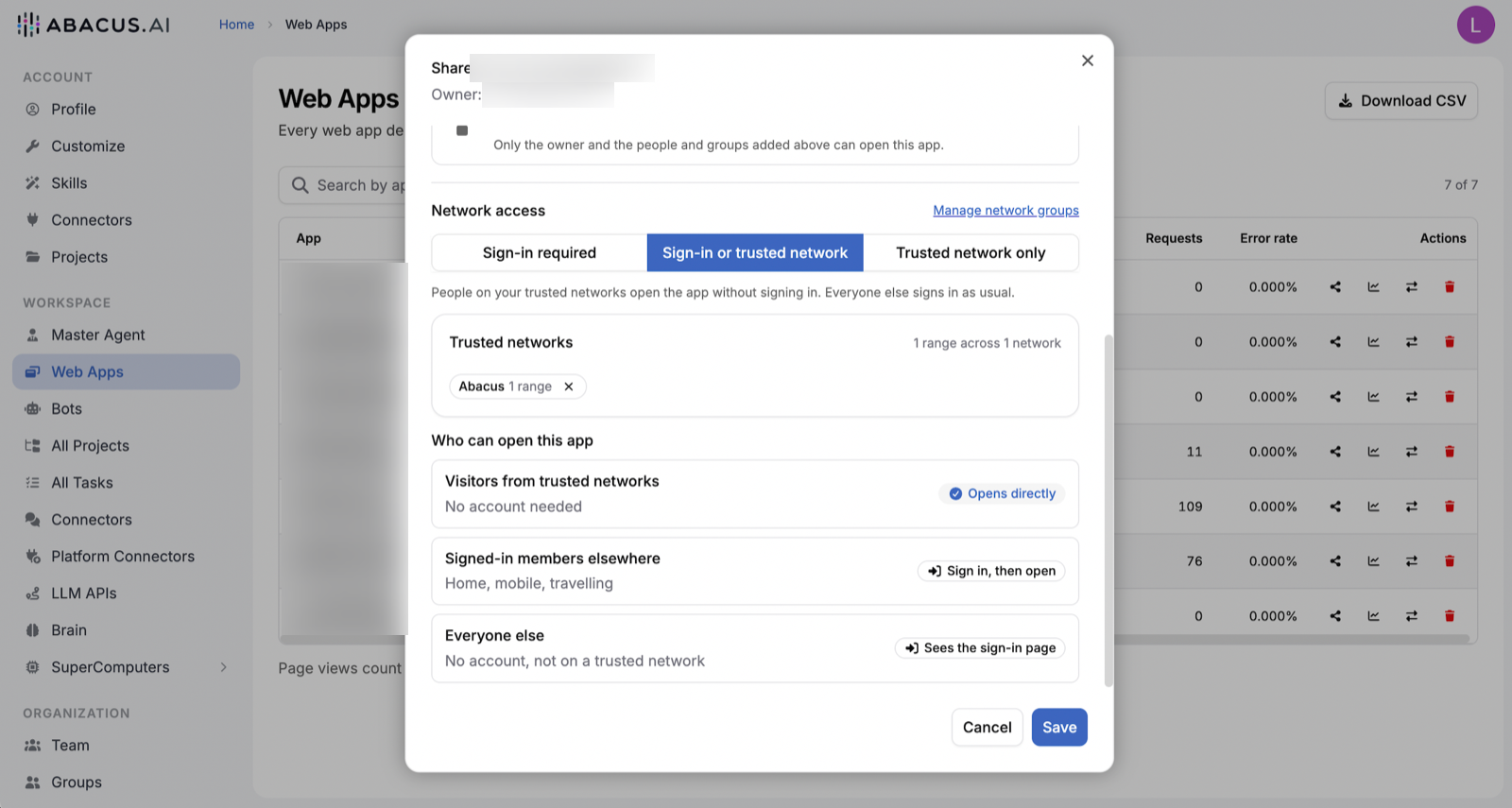
You can now control access to enterprise-hosted web apps using Network Ingress rules configured in Agent Firewall. This allows you to securely define which network destinations agents can access. To enable this, navigate to Organization > Agent Firewall > Inbound to configure your network groups, then go to Profile > Web Apps > Sharing to enable network access through a trusted network. This provides greater control over agent connectivity while enabling access to internal enterprise applications.
Introducing handle messaging in custom bots
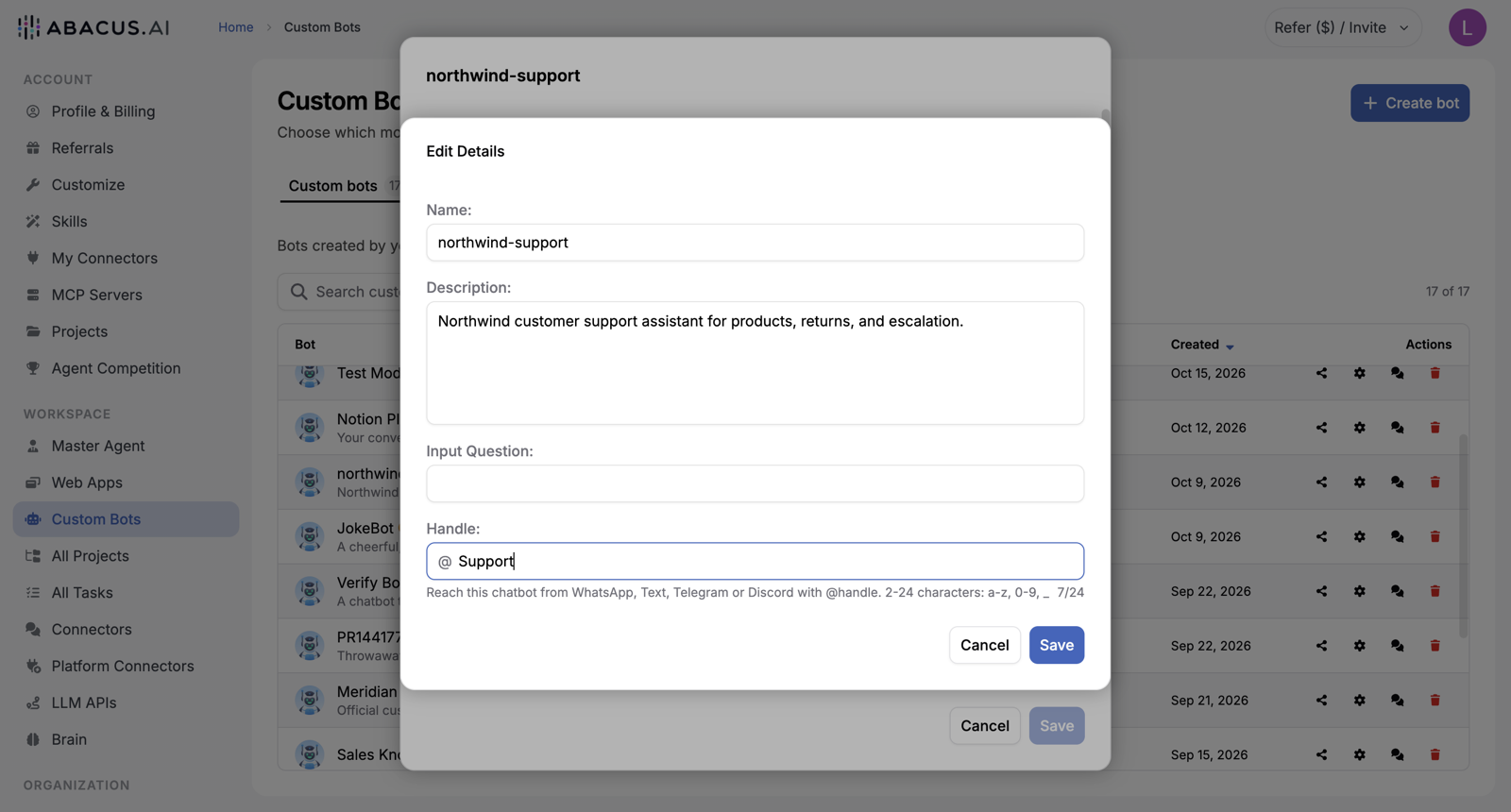
You can now interact with any custom chatbot in your organization, or another one of your personal agents, directly through your paired phone, WhatsApp, Telegram or Discord channel. Simply start your message with the chatbot’s @handle to route your question to the right agent; responses will be delivered back through the same channel and clearly labeled with the chatbot’s name. To enable, simply edit your custom chatbot and include a Handle.
Google Plug-in
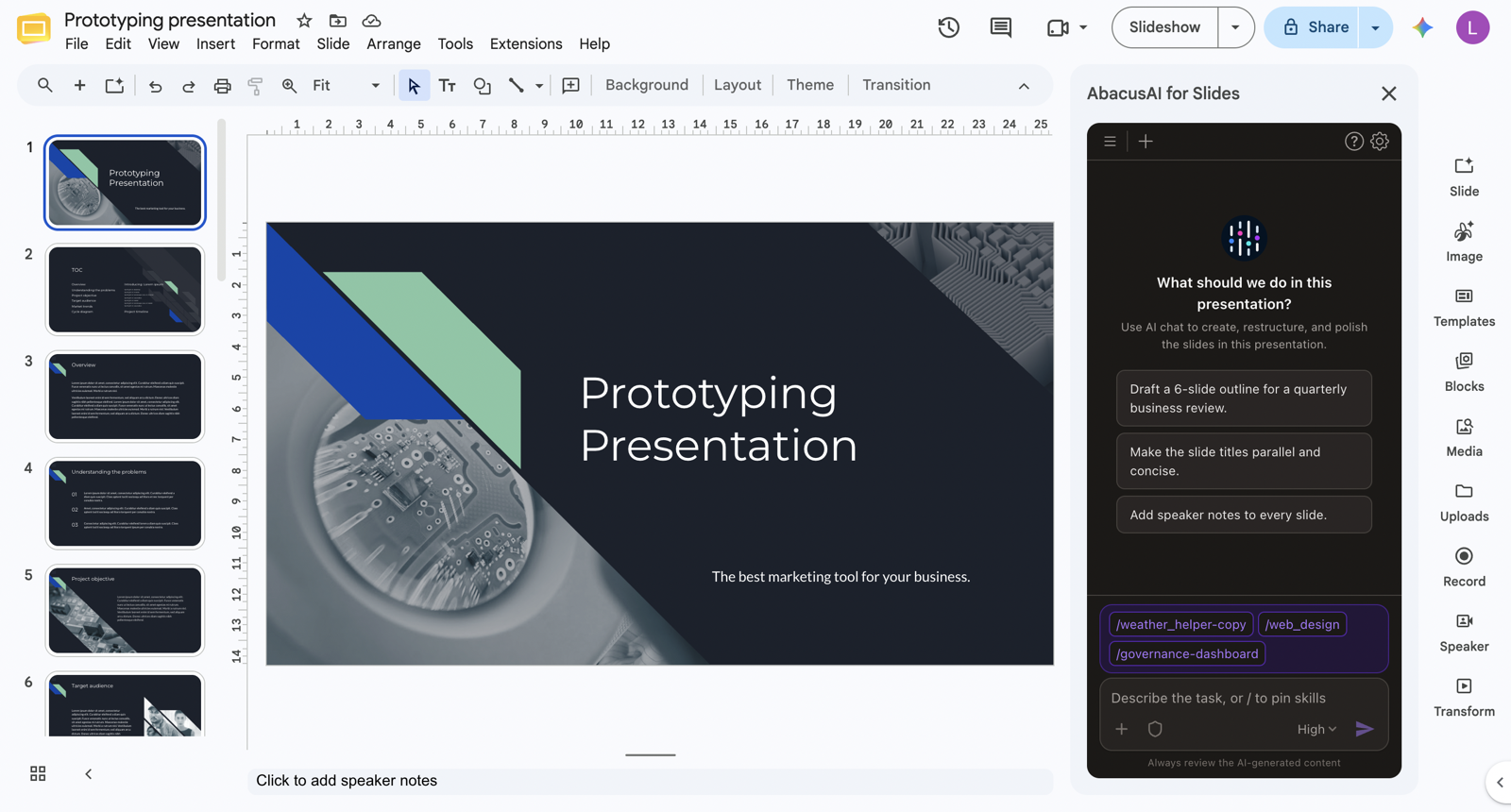
Bring the power of Abacus.AI directly into Google Docs, Sheets and Slides with our new Google Workspace plug-in. Access your agent from a convenient sidebar and use natural language to draft and rewrite content, summarize documents, analyze spreadsheet data, generate formulas and charts, and create and edit presentations. Work directly with the files you have open, without switching between applications. The plug-in also connects with your organization’s enabled tools and integrations, making it easier to bring AI-powered assistance into your everyday workflows. Once installed, the plug-in sidebar can be accessed through Extensions > AbacusAI > Open AbacusAI.
Product Feedback
We’d love to hear from you! Your feedback helps us improve our products and shape what comes next, so please take a moment to share your thoughts.